-
 Getting started
 -
 RVsitebuilder Overview
 -
 Creating Website
 -
 Website Blog
 -
 SEO
SEO -
 Website Email
 -
 Website Membership
 -
 Social Login
 -
 RVsitebuilder Apps
 -
 Advanced
 -
 Troubleshooting
 English
Website Membership
Meaning
Member is where to manage user and role for website members for both those you added and those who registered by themselves.
-
User Management is to manage users information.
-
Role Management is to manage roles for users.
Setting Areas
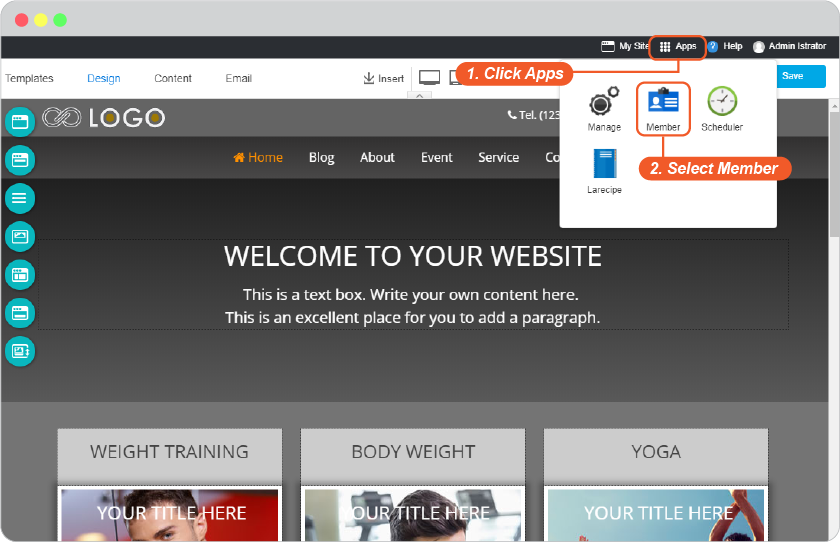
At the current page editor, click on Apps, select Member to open Member management area.
User Management
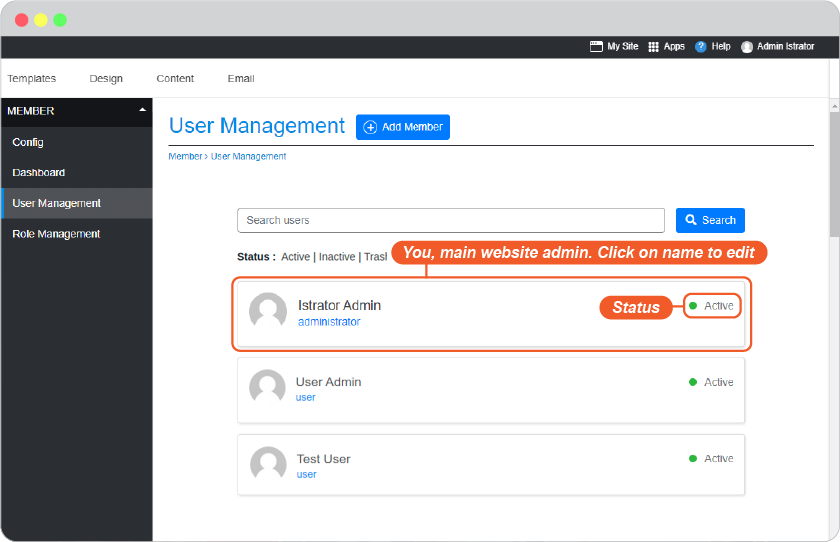
All website members, you, other website admins, and those customers who registered on your website will be listed here.
Edit Current Member
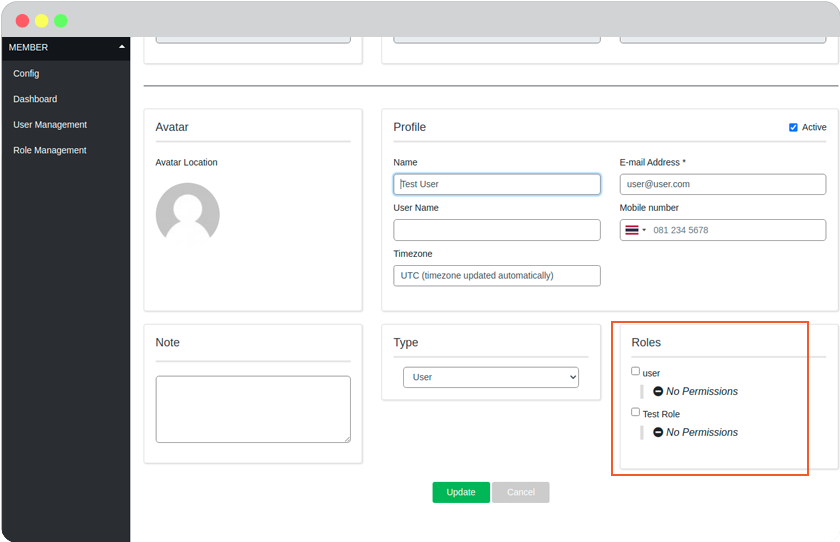
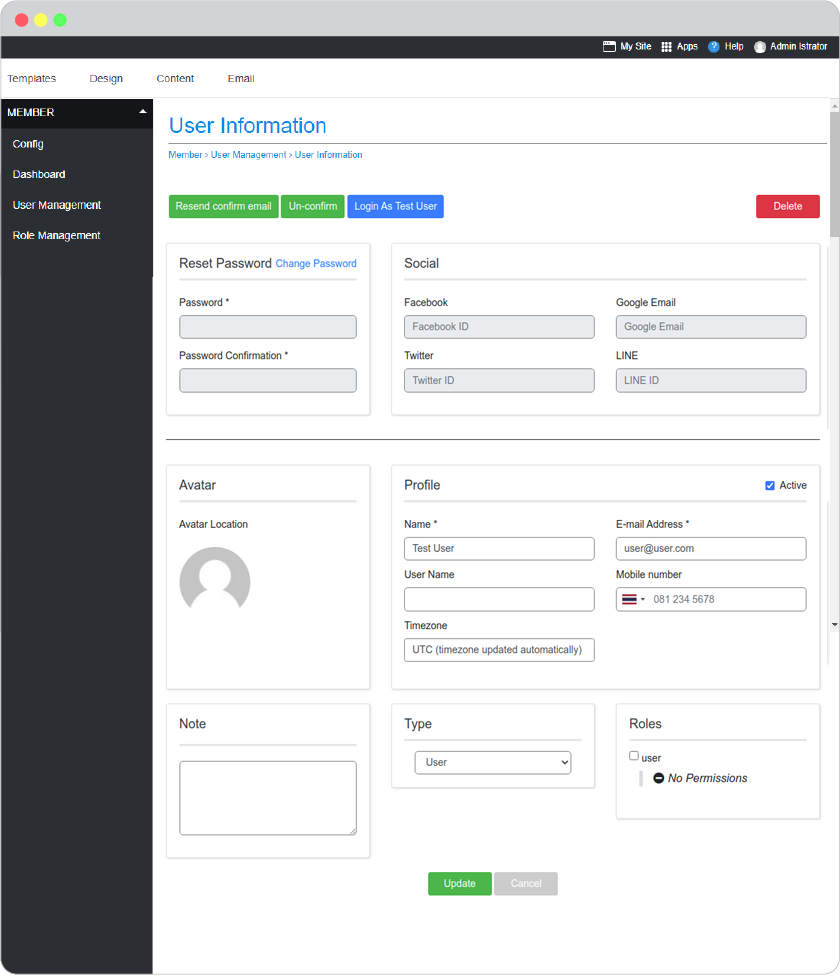
You can edit password, enable the member to login by single sign-on from their socials accounts (Google Email, Facebook, Twitter, LINE), personal information, and roles , or delete member.
- Click the name you want to edit.
- In the member information page, edit fields you want.
-
Click Update button for saving.
Add New Member
You can add anyone as a member to your website. Give them role, and send them the login information.
-
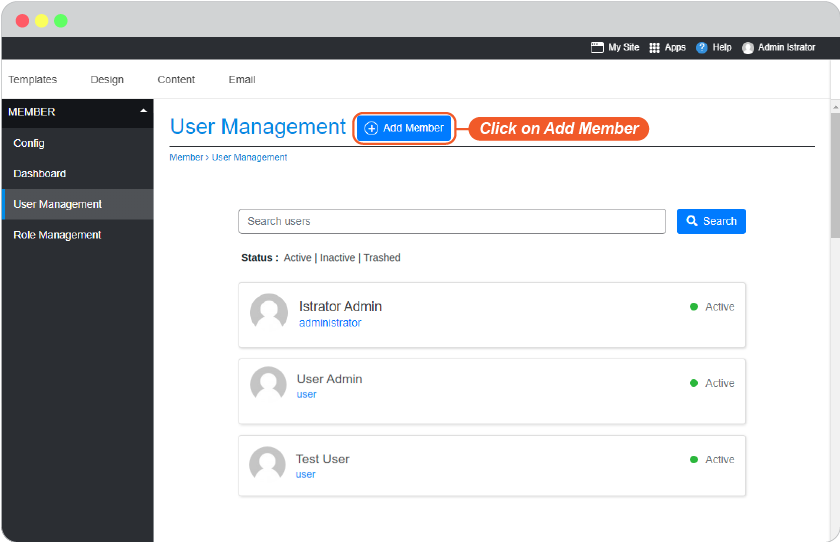
Click on Add Member.
-
Add information in all fields.
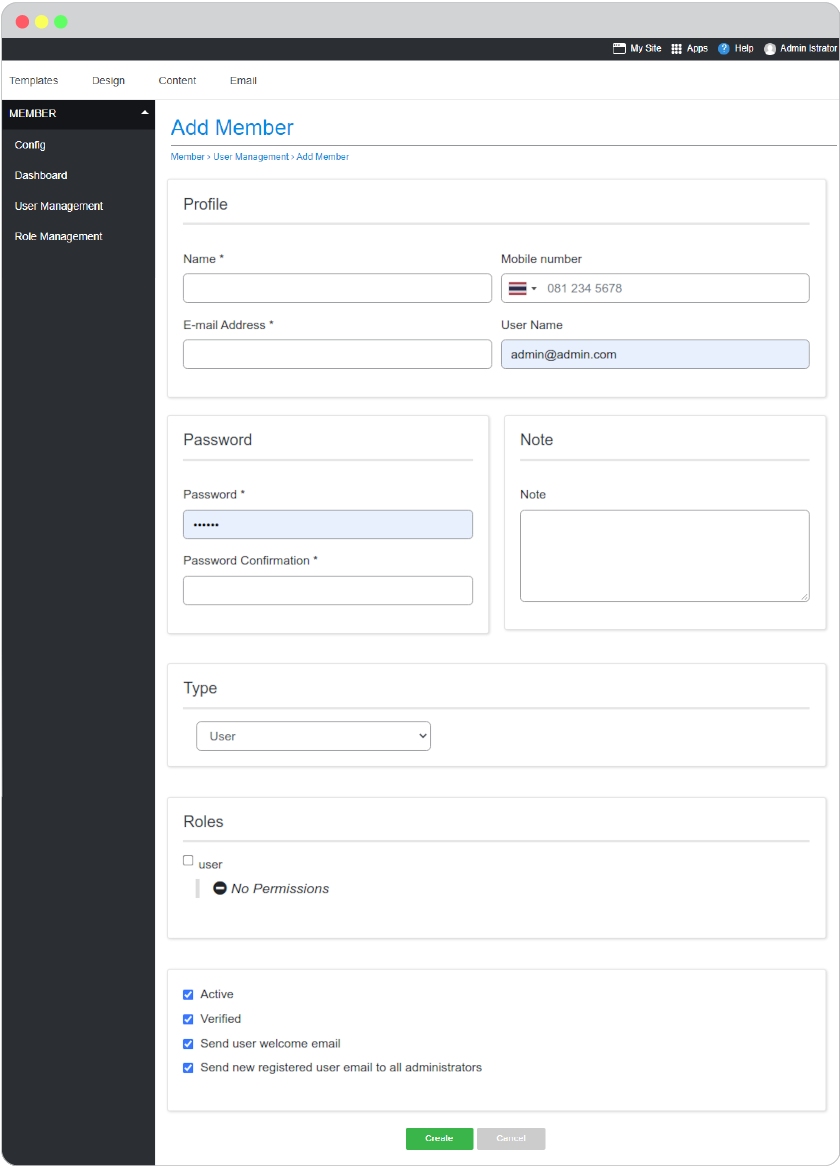
Role You can define role for the new user as Administrator, User. We will see more details about each role in the next part.
Notification
- Active, Check this box for immediately activate this user once added.
- Verified, Check this box to make this user verified by you once added.
- Send user welcome email, Check this box to send Account Activation email to this user by email address given above.
- Sene new registered user email to add administrator, Check this box to send New Activated User to all administrator of this website.
-
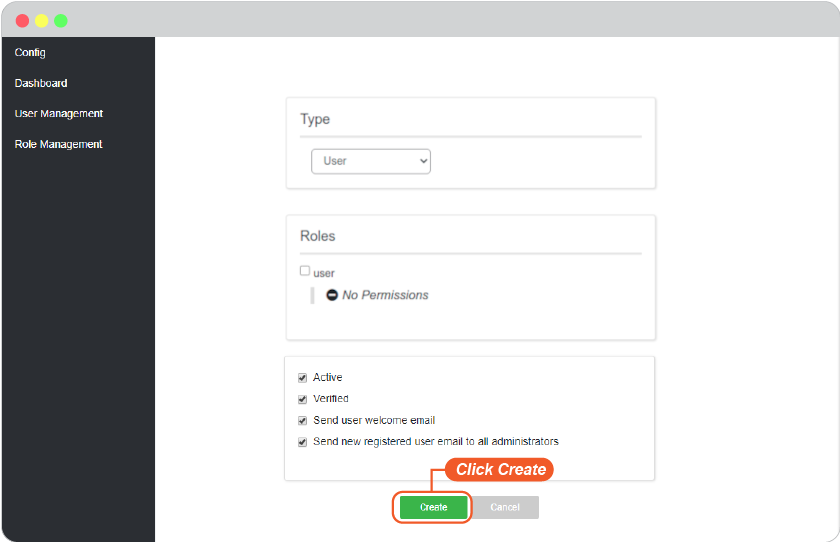
Click Create to confirm adding this user.
Delete Member
Delete member will permanently delete that person from access to your member area website, all privilege and data will be deleted. Make sure before using this feature.
-
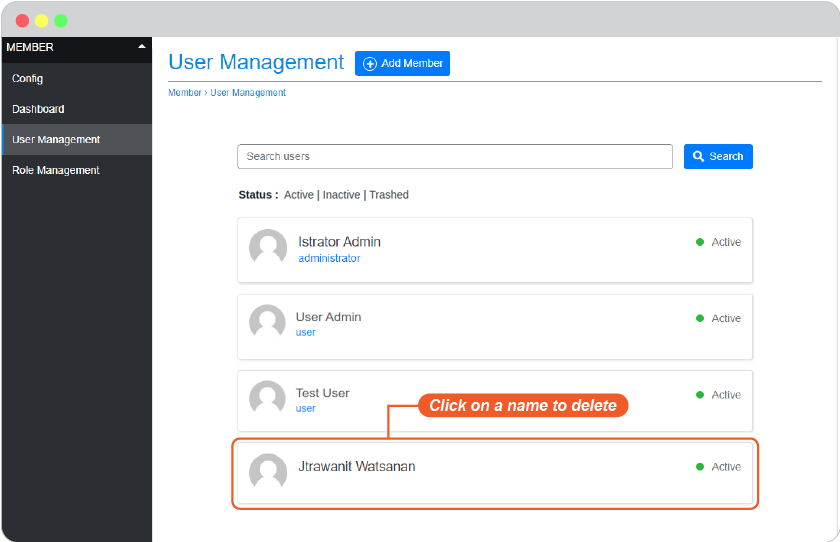
Click a name you want to delete from being your website member.
-
In user information page, click on Delete on the top right corner.
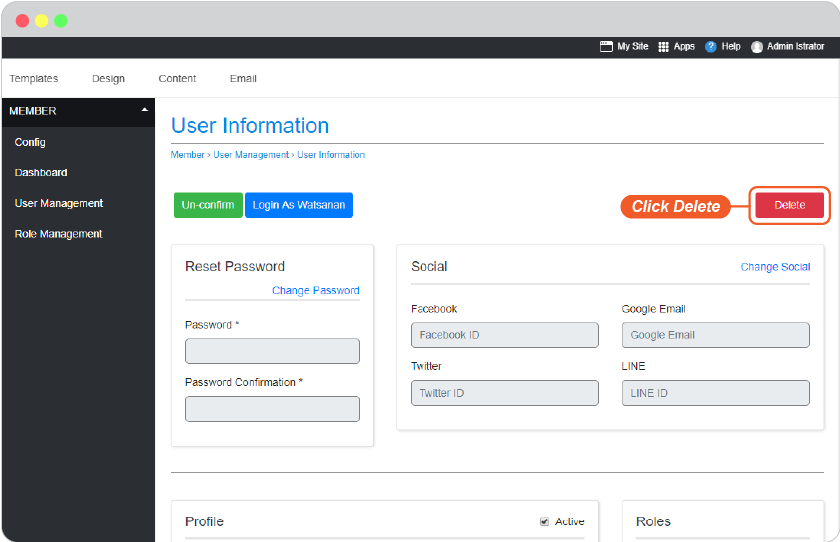
-
Confirm.
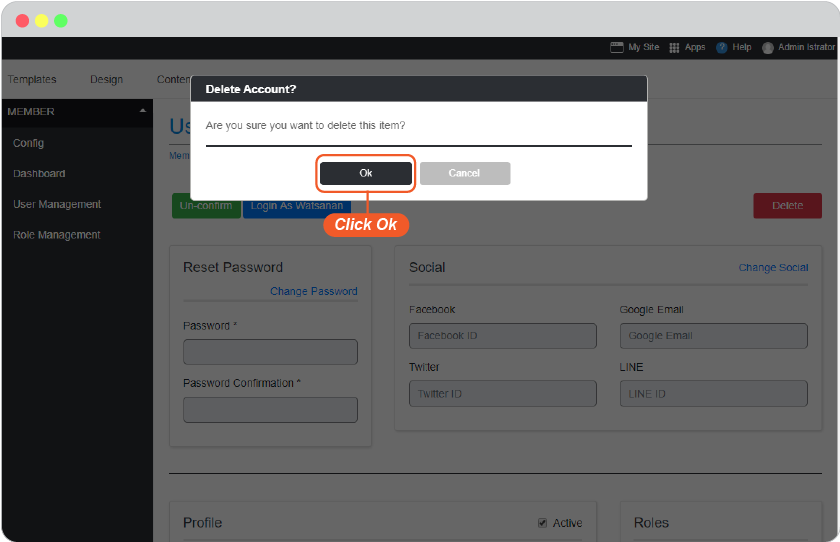
-
Click Permanently Delete.
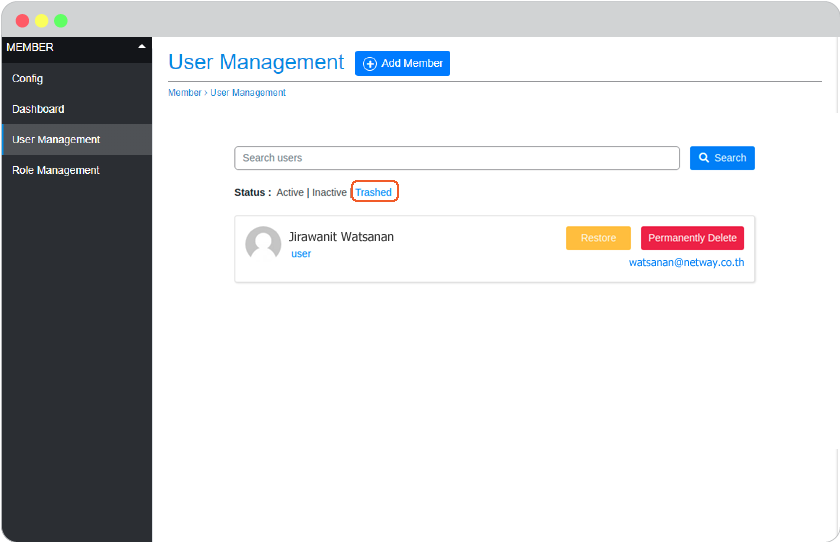
This user is deleted from member area of your website but still able to visit your website as normal visitor.
Role Management
Role is the privilege to define to website member. You, as the website starter, will hold Administrator role. All self-registered will have role as User by default.
There are 4 roles you can manage, and more custom role(s) you can create.
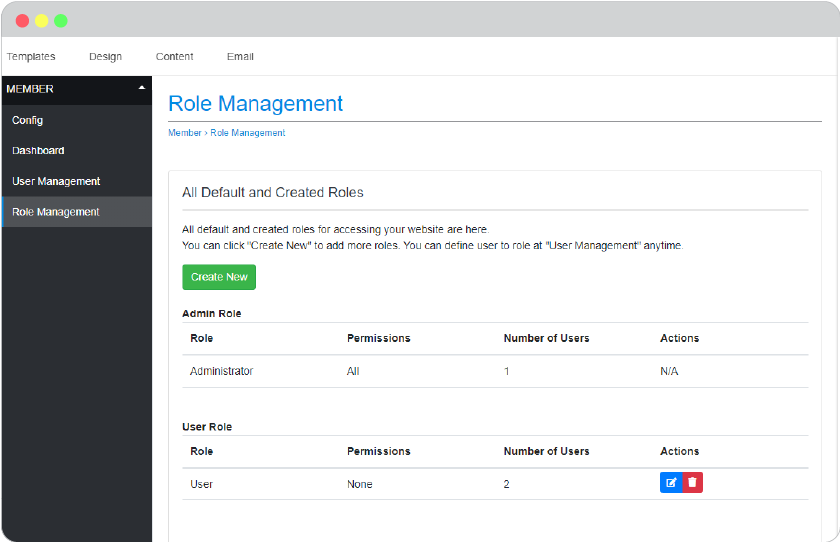
Backend Role
- Administrator, The ultimate permission role for website member. This role holds all permissions to manage website, can add, delete, and define every website member a role. Usually the first person, you, who started create this website will have this role.
Frontend Role
- User, The member privilege for website visitors who registered to your website. User role is mostly for permission to access to member area or some pages on your website you set visibility only for User (member).
Create Custom Role
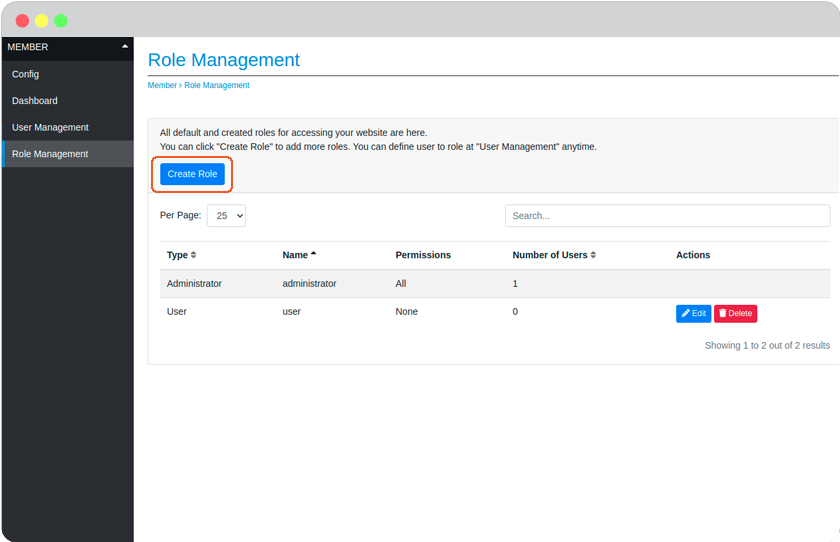
Role management allows you to create custom role(s) you may need.
-
Click Create Role.
-
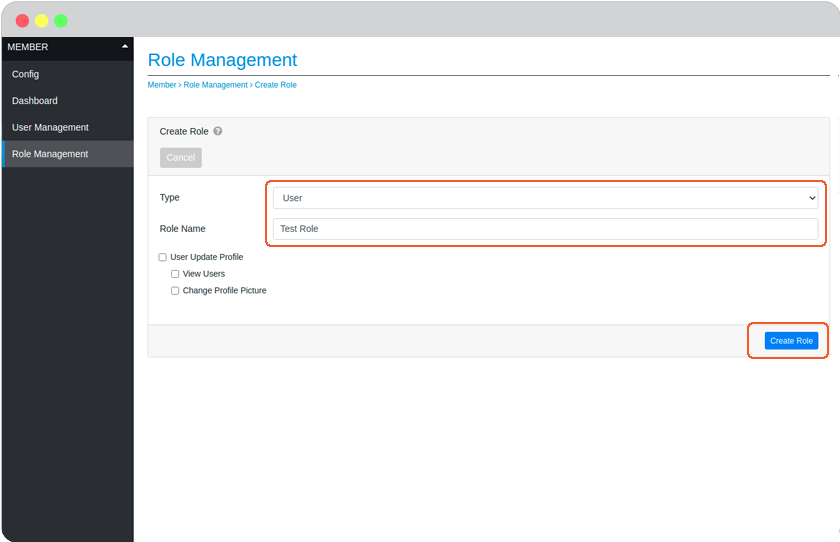
Give this Role a name.
-
At Associated Permissions, you can check this box if you want this Role to be ale to access to website admin area.
-
Click Create Role.
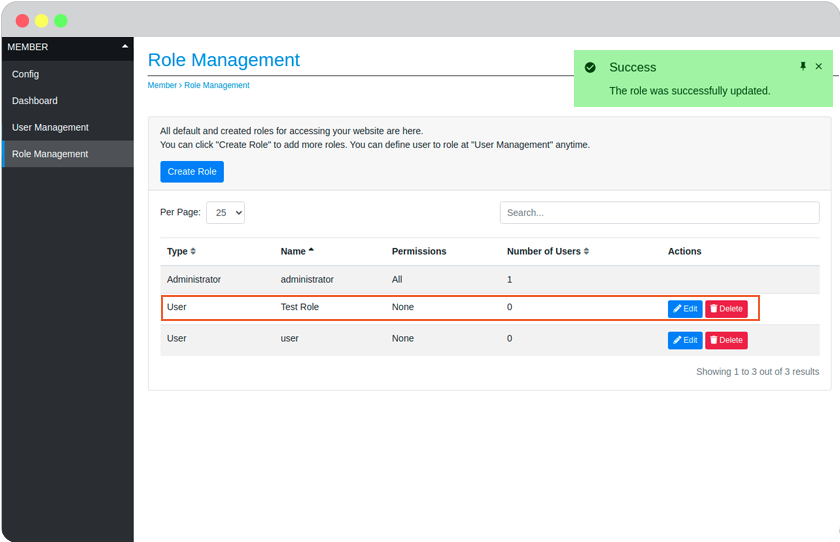
Result : On the left side menu, click User Management and click User.