-
 Getting started
 -
 RVsitebuilder Overview
 -
 Creating Website
 -
 Website Blog
 -
 SEO
SEO -
 Website Email
 -
 Website Membership
 -
 Social Login
 -
 RVsitebuilder Apps
 -
 Advanced
 -
 Troubleshooting
 English
Easy Website Meta tag
Website Meta tag
RVsitebuilder provides places to insert meta tag and meta description for users. This might be only a little help. But all the rest of being ranked in google.
Setting Areas
You can set SEO in 2 ways; by page or by site.
By page
It means to set SEO for an individual page that will be effect only at this page.
A) 3-dots Menu next to current page name you're editing.

B) Site -> Page Management icon.

C) Site -> Menu Pages -> 3-dots after page names.
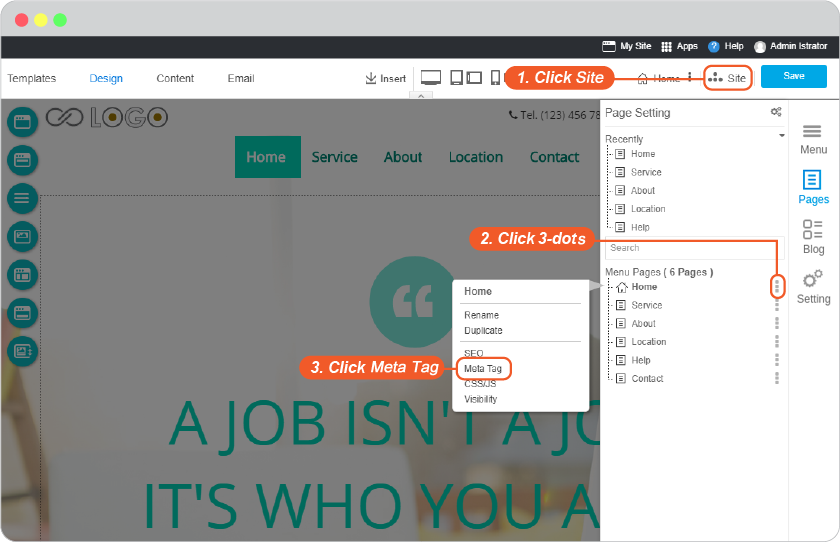
Once Meta tag clicked, you will be at Page Management box.
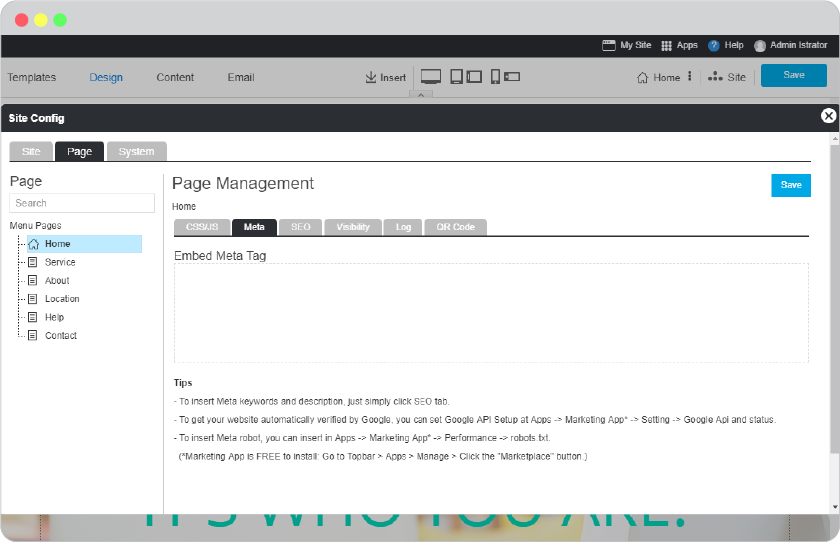
Menu Pages on the left colum will bluely highlight the current page that you're going to set its Meta tag now. You can change to other pages from here.
Page Management with current page name on the right column. Insert embed meta tag here. And connect with Google API by this guide.
By site
This means to set Meta tag that will effect for the entire website, You can edit on some specific pages to use different Meta tag by guide By page above.
Way to access to Meta tag by site setting areas.
- At Site -> Page Management icon.
-
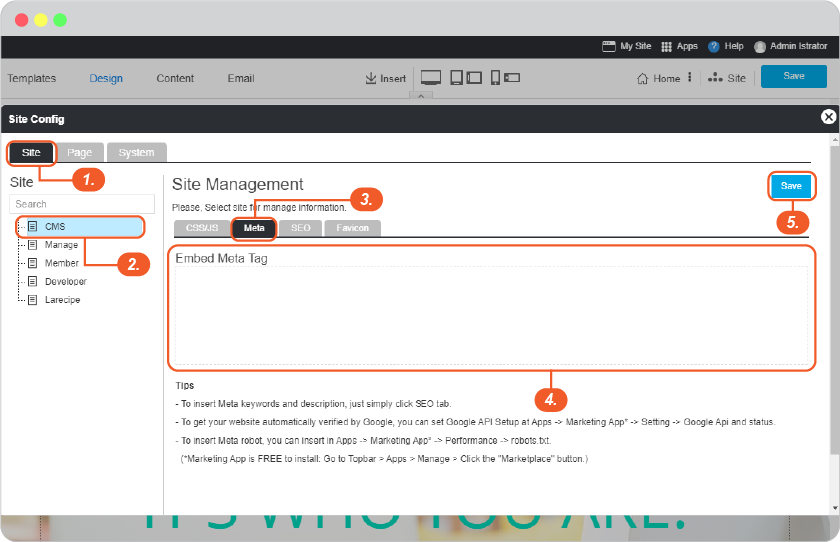
you will just click on Site on the setting panel to switch to Site setting.
1) Click Site.
2) Select CMS.
3) Select Meta.
4) Insert Meta tag for the entire site.
5) Click Save.
-
Don't forget to click Save on content editor.
-
Click on My Site to publish what you just have done.